

Redesigning Café Production Around Real Demand
TASK
UX Research
Visual Design
Prototyping
TEAM
8 developers
1 project manager
2 UX designers
TIMELINE
02 2026 - 09 2024

PROJECT BRIEF
I led the end-to-end redesign of the Sam‘s Club café's order fulfillment and pizza production experience.
The work ran in two phases. First, in 14 days making urgency visible in the existing order queue, shipped before the next peak day. Then, turning the queue into a production plan — splitting the front-of-house and back-of-house workflows into two views, validated against engineering's preference for one.
Along the way I brought every café component up to date in our design system, which is what made the second phase possible at that speed.
Redesigning Café Production Around Real Demand
TASK
UX Research
Visual Design
Prototyping
TEAM
8 developers
1 project manager
2 UX designers
TIMELINE
02 2026 - 09 2024
PROJECT BRIEF
I led the end-to-end redesign of the Sam‘s Club Café's order fulfillment and pizza production experience.
The work ran in two phases. First, in 14 days, making urgency visible in the existing order queue, shipped before the next peak day. Then, turning the queue into a production plan — splitting the front-of-house and back-of-house workflows into two views, validated against engineering's preference for one.
Along the way I brought every café component up to date in our design system, which is what made the second phase possible at that speed.
IMPACT
Peak-day order cancellations
Peak-day order cancellations
Faster production decisions
Faster production decisions
Production time
Production time
Associates using it every shift
Associates using it every shift
CONTEXT
I joined a café system that was losing sales on its busiest days of the year.
I joined a café system that was losing sales on its busiest days of the year.
Every club has a café. Pizza orders come in from six channels at once — Scan & Go, Express, Register, Delivery, Curbside, Self Checkout — each with its own pickup time, all landing in one queue on one tablet behind the counter.
On an ordinary day, associates absorb that complexity themselves. On Super Bowl Sunday, they couldn't: up to 17% of orders were canceled at pickup.

THE OUTCOME - EXPEDITOR VIEW
I split one crowded screen into two — one for the counter, one for the kitchen.
I structured each view around the decision its role actually makes. The expeditor's view answers which order goes out next, and to whom — driver status, pickup time, handoff sequence. The producer's view answers what goes in the oven next — quantity by pizza type, by time window.

Expeditors can manage every order from one clear view.
Expeditors can see which order is closest to its pickup window — and which driver is already on the way.

CHALLENGE - 14 DAYS LIMIT
Within fourteen days, I helped the team scope the design direction to reduce cancellation rate.
Within fourteen days, I helped the team scope the design direction to reduce cancellation rate.
The next holiday peak was two weeks out. I had no room to rebuild the fulfillment system, retrain 3,000 associates, or change how production is scheduled.
So I scoped to two things: what could change inside the interface associates already used, and signals the system already carried.

UNCOVERING THE REAL PROBLEM
I found that current tool only shows what was ordered — never what to make next.
I found that current tool only shows what was ordered — never what to make next.
I looked at what the associate actually saw: every order the same size, the same weight, no sense of which one was already late. Underneath sat three problems — the queue never surfaced driver status, production wasn't connected to demand, and two workflows were sharing one interface. Every signal needed to fix them was already in the system. I just had to get it to the people working from it.
Urgency never reached the interface.
Driver status lived in the data, never in the queue. By the time an order read as urgent, it was already late.

Production ran on memory, not demand.
Orders arrived on one side, pizzas got made on the other, and how many to make lived in someone's head.

One interface, two jobs.
The counter and the kitchen need the same orders in two different shapes. They only got one.

Production ran on memory, not demand.
Orders arrived on one side, pizzas got made on the other, and how many to make lived in someone's head.
Urgency never reached the interface.
Driver status lived in the data, never in the queue. By the time an order read as urgent, it was already late.
One interface, two jobs.
The counter and the kitchen need the same orders in two different shapes. They only got one.
RESEARCH
I ran a workshop, then went to the clubs — and found production timing and pickup timing had no connection at all.
The signals were all there — pickup time, driver status, prep time — just never in the queue the associate worked from. So I mapped what design could actually reach against what fourteen days allowed, and scoped to one move: surface order urgency. It ran on driver status the system already carried, it hit the exact moment an order gets canceled, and it would earn me the evidence for the other two.


PHASE ONE - SURFACE URGENT ORDERS
I rebuilt the order card, then the queue around it, so urgency reads from across the counter.
I designed one consistent card — channel, pickup time, items, driver status always in the same position — applied it across all six channels, and restructured the queue into equal columns.
Then the piece that mattered: when a driver is en route, that order carries a priority tag and border.
I rebuilt the order card, then the queue around it, so urgency reads from across the counter.

DESIGN WITH AI
AI prototyping helped me ship my design faster while collaborating with the engineer team.
I prototyped in Builder.io, our internal tool. Most café components there were behind our design system, so I worked with the design system team to bring every one up to date — which let me generate iterations with AI instead of restyling by hand, and spend my time on the design itself.

1.0 Current Design
Cafe order system
Before — Fragmented & Manual Planning

Only the time the order was placed, never the pickup window
No driver status anywhere in the interface
Order work and production work compete for one screen.

2.0 New order system
Surfacing urgency
After — Consistent system with urgency indication

One card structure, same information in the same position, across all six channels
Urgency reads first, order details second
Visibility of driver and pickup timing surfaced on the card itself
We successfully reduced the cancellation rate from 17% to 12%

PHASE TWO - SOLVE THE HIDDEN PROBLEM
I decieded to solve the complete problem by connecting our production system from live demand.
I followed both through a shift. The expeditor works at order level: whose order, driver status, pickup time. The producer works in aggregate: how many of each pizza, for which hour.
Same orders underneath — different shape required. Each was filtering out the other's work to get to their own.

PHASE TWO - SOLVE THE HIDDEN PROBLEM
I identified two workflow and started designing for two roles.
I found two workflows running in parallel, never touching — and both reading from the same queue. That queue was built around the order, which meant I was still asking the producer to reconstruct their unit of work out of someone else's, every single time.

DESIGN EXPLORATION
I designed three interfaces based on what each role actually needed.
The question wasn't whether the producer should get a plan. It was how much room to give one, with engineering's budget in the room. So instead of arguing it abstractly, I designed all three and put them side by side.

2.1 Design Iteration
One production view
Option A — A production section inside the existing view.
The batch count sits on the screen they already work in.
Only the current hour fits — no way to see the day ahead.
Order work and production work compete for one screen.

2.2 Design Iteration
Individual production view
Option B — Two separate role-based views for different workflow.
The production schedule is clear with next-hour window.
The next window’s load is visible while there is still time to start it.
Orders stay whole inside each window, with channel and due time intact for the handoff.

2.3 Design Iteration
Flexible Production View
Option C — A flexible toggle between the two system.
Showing the whole production causing the timing problem untouched.
Associate sometimes lack of understanding of the whole production orders.
The system is flexible to be switched between each one.

The team only wanted one view, so I justfied a better experience by my usability test.
The team only wanted one view, so I justfied a better experience by my usability test.
USABILITY TEST
I ran usability test and found two views allow both user groups to focus on their jobs.
I ran both against identical tasks and identical data, and measured task performance instead of preference. If I'd asked which one they liked, I'd have gotten taste. I needed evidence.
The gap widened as order volume rose — exactly where the cancellations were coming from. That's what convinced the team to build it.
I found associates preferred two views because they could trust the count instead of recounting it.
I found associates preferred two views because they could trust the count instead of recounting it.

IMPACT
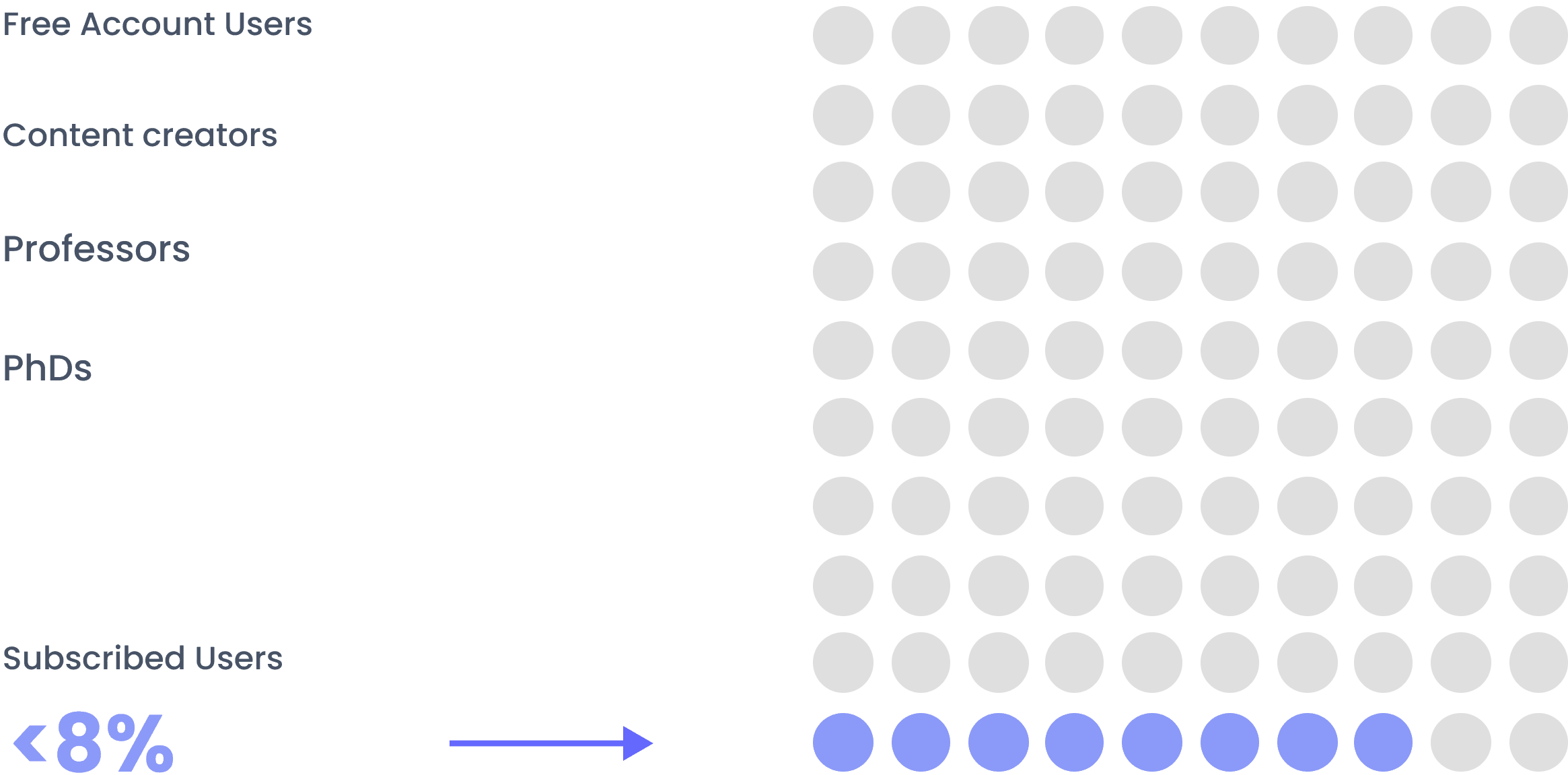
I shipped the redesign that took peak-day cancellations from 17% to 8%, across 600 clubs.
The remaining 8% sits mostly outside production — inventory, and how Spark drivers get notified. All 600 clubs run the exact same system. No local variant, no per-club configuration — one change I make here lands in all of them at once.

TAKEAWAYS

I learned to define before I design.
Define problem before designing
In a system this shared, the first design decision is deciding what the problem actually is.

I learned to scope to the constraint, not to the problem.
I learned to scope to the constraint, not to the problem.
Fourteen days changed what I could ship. It didn't change what was wrong.

Observation earned me a hearing with evidence.
I learned how to justify a design decision when the room disagrees — by testing it, not defending it.
THE OUTCOME - PIZZA PRODUCER VIEW
I split one crowded screen into two — one for the counter, one for the kitchen.
I structured each view around the decision its role actually makes. The expeditor's view answers which order goes out next, and to whom — driver status, pickup time, handoff sequence. The producer's view answers what goes in the oven next — quantity by pizza type, by time window.
Expeditors can manage every order from one clear view.
Expeditors can see which order is closest to its pickup window — and which driver is already on the way.
THE OUTCOME - EXPEDITOR VIEW

Retail Operation
Designing AI-Powered Operational Intelligence
B2B
AI Production
Mobile App
Tablet Devices
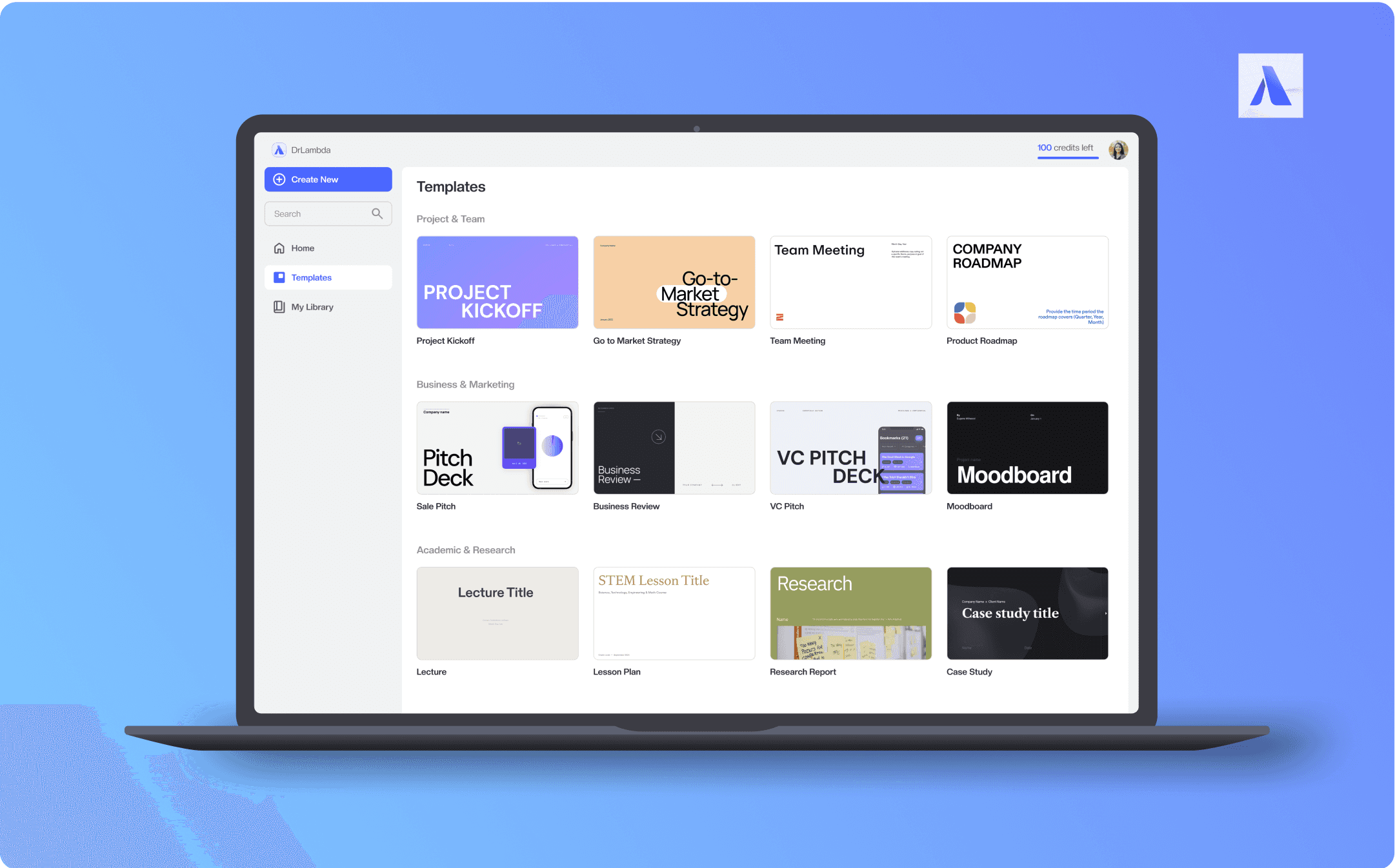
Productivity AI Tool
Productivity
AI Tool
Research
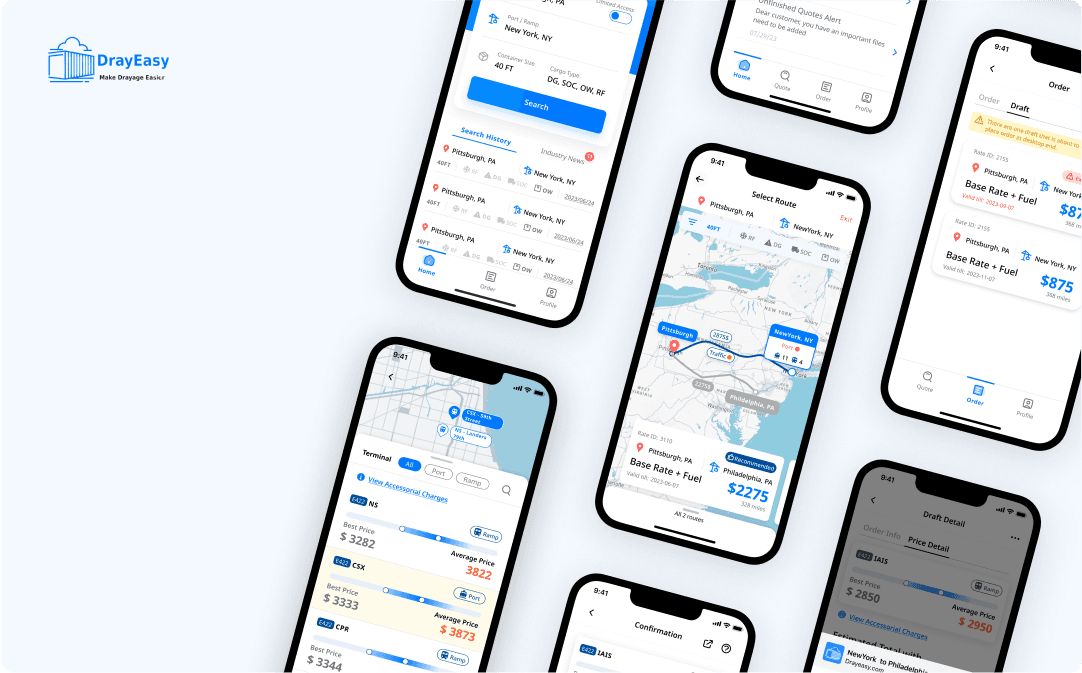
Logistic Industry
B2B
B2B
Logistic
Logistic
Mobile App
Mobile App
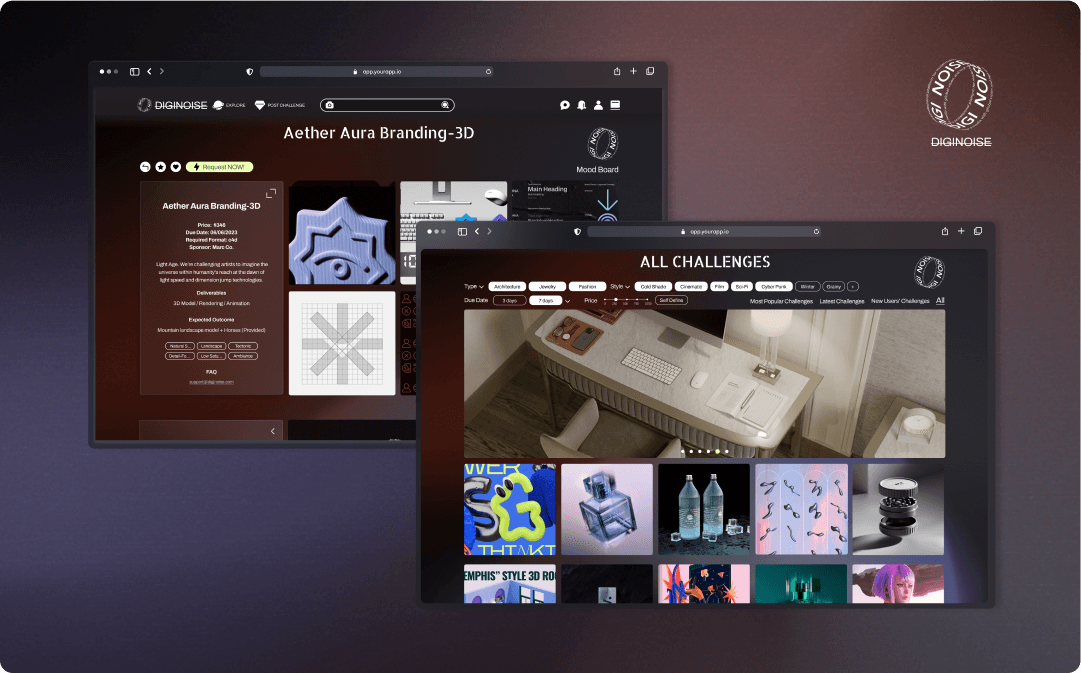
Interactive 3D Community
3D Interactive Prototyping
3D Interactive Prototyping
Motion Design
Motion Design
VR/AR
VR/AR


Copyright © 2026 Shenyiz. Made with ❤️ in AR
Redesigning Café Production Around Real Demand
TEAM
3 developers
1 project manager
4 UX designers
TASK
UX Research
Visual Design
Prototyping
PROJECT BRIEF
TEAM
I led the end-to-end redesign of the Sam's Club café's order fulfillment and pizza production experience.
The work ran in two phases. First, in 14 days, making urgency visible in the existing order queue, shipped before the next peak day. Then, turning the queue into a production plan — splitting the front-of-house and back-of-house workflows into two views, validated against engineering's preference for one.
Along the way I brought every café component up to date in our design system, which is what made the second phase possible at that speed.
3 developers
3 developers
1 project manager
1 project manager
4 UX designers
4 UX designers
TASK
UX Research
Visual Design
Prototyping
MY ROLE
I led the end-to-end redesign of the Sam's Club café's order fulfillment and pizza production experience.
The work ran in two phases. First, in 14 days, making urgency visible in the existing order queue, shipped before the next peak day. Then, turning the queue into a production plan — splitting the front-of-house and back-of-house workflows into two views, validated against engineering's preference for one.
Along the way I brought every café component up to date in our design system, which is what made the second phase possible at that speed.
IMPACT
IMPACT
-
38.8%
9%
-9%
Increase in Subscribe Users
Peak-day order cancellations
Peak-day order cancellations
16.7%
2.3X
2.3X
Decrease in Editing Time
Faster production decisions
-
-
-
26.8%
57%
57%
Increase of user satisfaction
Production time
Production time
Expeditors can manage every order from one clear view.
Expeditors can see which order is closest to its pickup window — and which driver is already on the way.
PHASE TWO - SOLVE THE HIDDEN PROBLEM
I decieded to solve the complete problem by connecting our production system from live demand.
I followed both through a shift. The expeditor works at order level: whose order, driver status, pickup time. The producer works in aggregate: how many of each pizza, for which hour.
Same orders underneath — different shape required. Each was filtering out the other's work to get to their own.
UNCOVERING THE REAL PROBLEM
I split one crowded screen into two — one for the counter, one for the kitchen.
I structured each view around the decision its role actually makes. The expeditor's view answers which order goes out next, and to whom — driver status, pickup time, handoff sequence. The producer's view answers what goes in the oven next — quantity by pizza type, by time window.
DESIGN WITH AI
AI prototyping helped me ship my design faster while collaborating with the engineer team.
I prototyped in Builder.io, our internal tool. Most café components there were behind our design system, so I worked with the design system team to bring every one up to date — which let me generate iterations with AI instead of restyling by hand, and spend my time on the design itself.
1.0 Current Design
Cafe order system
Before — Fragmented & Manual Planning
Only the time the order was placed, never the pickup window
No driver status anywhere in the interface
Order work and production work compete for one screen.
2.0 New order system
Surfacing urgency
After — Consistent system with urgency indication
One card structure, same information in the same position, across all six channels
Urgency reads first, order details second
Visibility of driver and pickup timing surfaced on the card itself
CONTEXT
I joined a café system that was losing sales on its busiest days of the year.
Every club has a café. Pizza orders come in from six channels at once — Scan & Go, Express, Register, Delivery, Curbside, Self Checkout — each with its own pickup time, all landing in one queue on one tablet behind the counter.
On an ordinary day, associates absorb that complexity themselves. On Super Bowl Sunday, they couldn't: up to 17% of orders were canceled at pickup.
Expeditors can manage every order from one clear view.
Expeditors can see which order is closest to its pickup window — and which driver is already on the way.
PHASE ONE - SURFACE URGENT ORDERS
I rebuilt the order card, then the queue around it, so urgency reads from across the counter.
I designed one consistent card — channel, pickup time, items, driver status always in the same position — applied it across all six channels, and restructured the queue into equal columns.
Then the piece that mattered: when a driver is en route, that order carries a priority tag and border.
UNCOVERING THE REAL PROBLEM
I found that the interface only shows what was ordered — never what to make next.
I looked at what the associate actually saw: every order the same size, the same weight, no sense of which one was already late. Underneath sat three problems — the queue never surfaced driver status, production wasn't connected to demand, and two workflows were sharing one interface. Every signal needed to fix them was already in the system. I just had to get it to the people working from it.
Production ran on memory, not demand.
Orders arrived on one side, pizzas got made on the other, and how many to make lived in someone's head.
Urgency never reached the interface.
Driver status lived in the data, never in the queue. By the time an order read as urgent, it was already late.
One interface, two jobs.
The counter and the kitchen need the same orders in two different shapes. They only got one.
CHALLENGE - 14 DAYS LIMIT
Within fourteen days, I helped the team scope the design direction to reduce cancellation rate.
The next holiday peak was two weeks out. I had no room to rebuild the fulfillment system, retrain 3,000 associates, or change how production is scheduled.
So I scoped to two things: what could change inside the interface associates already used, and signals the system already carried.
RESEARCH
I ran a workshop, then went to the clubs — and found production timing and pickup timing had no connection at all.
The signals were all there — pickup time, driver status, prep time — just never in the queue the associate worked from. So I mapped what design could actually reach against what fourteen days allowed, and scoped to one move: surface order urgency. It ran on driver status the system already carried, it hit the exact moment an order gets canceled, and it would earn me the evidence for the other two.
USABILITY TEST
I ran usability test on identical tasks and identical data, and found two views beat one on every measure.
I ran both against identical tasks and identical data, and measured task performance instead of preference. If I'd asked which one they liked, I'd have gotten taste. I needed evidence.
The gap widened as order volume rose — exactly where the cancellations were coming from. That's what convinced the team to build it.
I found associates preferred two views because they could trust the count instead of recounting it.
CONTEXT
I joined a café system that was losing sales on its busiest days of the year.
Every club has a café. Pizza orders come in from six channels at once — Scan & Go, Express, Register, Delivery, Curbside, Self Checkout — each with its own pickup time, all landing in one queue on one tablet behind the counter.
On an ordinary day, associates absorb that complexity themselves. On Super Bowl Sunday, they couldn't: up to 17% of orders were canceled at pickup.
PHASE ONE - SURFACE URGENT ORDERS
I rebuilt the order card, then the queue around it, so urgency reads from across the counter.
I designed one consistent card — channel, pickup time, items, driver status always in the same position — applied it across all six channels, and restructured the queue into equal columns.
Then the piece that mattered: when a driver is en route, that order carries a priority tag and border.
IMPACT
I shipped the redesign that took peak-day cancellations from 17% to 8%, across 600 clubs.
The remaining 8% sits mostly outside production — inventory, and how Spark drivers get notified. All 600 clubs run the exact same system. No local variant, no per-club configuration — one change I make here lands in all of them at once.
DESIGN WITH AI
AI prototyping helped me ship my design faster while collaborating with the engineer team.
I prototyped in Builder.io, our internal tool. Most café components there were behind our design system, so I worked with the design system team to bring every one up to date — which let me generate iterations with AI instead of restyling by hand, and spend my time on the design itself.
1.0 Current Design
Cafe order system
Before — Fragmented & Manual Planning
Only the time the order was placed, never the pickup window
No driver status anywhere in the interface
Order work and production work compete for one screen.
2.0 New order system
Surfacing urgency
After — Consistent system with urgency indication
One card structure, same information in the same position, across all six channels
Urgency reads first, order details second
Visibility of driver and pickup timing surfaced on the card itself
IMPACT
I shipped the redesign that took peak-day cancellations from 17% to 8%, across 600 clubs.
The remaining 8% sits mostly outside production — inventory, and how Spark drivers get notified. All 600 clubs run the exact same system. No local variant, no per-club configuration — one change I make here lands in all of them at once.
PROJECT KEY TAKAWAYS
DESIGNING AI BEYOND AUTOMATION
DESIGNING AI BEYOND AUTOMATION
UNCOVERING THE REAL PROBLEM
I found that the interface only shows what was ordered — never what to make next.
I looked at what the associate actually saw: every order the same size, the same weight, no sense of which one was already late. Underneath sat three problems — the queue never surfaced driver status, production wasn't connected to demand, and two workflows were sharing one interface. Every signal needed to fix them was already in the system. I just had to get it to the people working from it.
Production ran on memory, not demand.
Orders arrived on one side, pizzas got made on the other, and how many to make lived in someone's head.
Urgency never reached the interface.
Driver status lived in the data, never in the queue. By the time an order read as urgent, it was already late.
One interface, two jobs.
The counter and the kitchen need the same orders in two different shapes. They only got one.
RESEARCH
I ran a workshop, then went to the clubs — and found production timing and pickup timing had no connection at all.
The signals were all there — pickup time, driver status, prep time — just never in the queue the associate worked from. So I mapped what design could actually reach against what fourteen days allowed, and scoped to one move: surface order urgency. It ran on driver status the system already carried, it hit the exact moment an order gets canceled, and it would earn me the evidence for the other two.
CHALLENGE - 14 DAYS LIMIT
Within fourteen days, I helped the team scope the design direction to reduce cancellation rate.
The next holiday peak was two weeks out. I had no room to rebuild the fulfillment system, retrain 3,000 associates, or change how production is scheduled.
So I scoped to two things: what could change inside the interface associates already used, and signals the system already carried.
UNCOVERING THE REAL PROBLEM
I split one crowded screen into two — one for the counter, one for the kitchen.
I structured each view around the decision its role actually makes. The expeditor's view answers which order goes out next, and to whom — driver status, pickup time, handoff sequence. The producer's view answers what goes in the oven next — quantity by pizza type, by time window.
Define problem before designing
In a system this shared, the first design decision is deciding what the problem actually is.
Scope to the constraint, not to the problem.
Fourteen days changed what I could ship. It didn't change what was wrong.
Observation earned me a hearing with evidence.
I learned how to justify a design decision when the room disagrees — by testing it, not defending it.
USABILITY TEST
I ran usability test on identical tasks and identical data, and found two views beat one on every measure.
I ran both against identical tasks and identical data, and measured task performance instead of preference. If I'd asked which one they liked, I'd have gotten taste. I needed evidence.
The gap widened as order volume rose — exactly where the cancellations were coming from. That's what convinced the team to build it.
I found associates preferred two views because they could trust the count instead of recounting it.
Logistic Industry
Logistic Industry
B2B
Logistic
Mobile App
Interactive 3D Community
Interactive 3D Community
3D Interactive Prototyping
3D Interactive Prototyping
3D Interactive Prototyping
Motion Design
Motion Design
Motion Design
VR/AR
VR/AR
VR/AR
Productivity AI Tool
Productivity
AI Tool
Research
Retail Operation
Redesigning Café Production Around Real Demand
Designing AI-Powered Operational Intelligence
B2B
AI Production
Mobile App
Tablet Devices
Redesigning Café Production Around Real Demand
Curious about the end to end design process?
We successfully reduced the cancellation rate from 17% to 12%
I’d be happy to walk you through the full process over a call. Reach out at shenyiz@outlook.com :)
Define problem before designing
In a system this shared, the first design decision is deciding what the problem actually is.
Scope to the constraint, not to the problem.
Fourteen days changed what I could ship. It didn't change what was wrong.
Observation earned me a hearing with evidence.
I learned how to justify a design decision when the room disagrees — by testing it, not defending it.
DESIGN ITERATION - PRODUCE
PHASE TWO - SOLVE THE HIDDEN PROBLEM
PHASE TWO - SOLVE THE HIDDEN PROBLEM
Users need better visibility into operational risks while work is in progress
I identified two workflow and started designing for two roles.
I identified two workflow and started designing for two roles.
AI continuously monitors production progress, workload distribution, and execution status in real time. This helps users identify issues earlier and take action before delays impact fulfillment and member experience.
I found two workflows running in parallel, never touching — and both reading from the same queue. That queue was built around the order, which meant I was still asking the producer to reconstruct their unit of work out of someone else's, every single time.
I found two workflows running in parallel, never touching — and both reading from the same queue. That queue was built around the order, which meant I was still asking the producer to reconstruct their unit of work out of someone else's, every single time.
DESIGN ITERATION - PLAN
DESIGN EXPLORATION
PHASE TWO - SOLVE THE HIDDEN PROBLEM
Users need clearer guidance to understand what inputs are required and how supporting files should be provided.
I designed three interfaces based on what each role actually needed.
I decieded to solve the complete problem by connecting our production system from live demand.
AI analyzes demand, labor capacity, and inventory signals to identify operational risks before production begins, helping managers create more reliable plans with less manual effort.
The question wasn't whether the producer should get a plan. It was how much room to give one, with engineering's budget in the room. So instead of arguing it abstractly, I designed all three and put them side by side.
I followed both through a shift. The expeditor works at order level: whose order, driver status, pickup time. The producer works in aggregate: how many of each pizza, for which hour.
Same orders underneath — different shape required. Each was filtering out the other's work to get to their own.
DESIGN ITERATION - COMPLETE
DESIGN EXPLORATION
Users need actionable insights to continuously improve future operations
I designed three interfaces based on what each role actually needed.
I designed three interfaces based on what each role actually needed.
Rather than simply tracking completed work, AI analyzes outcomes, highlights recurring patterns, and captures operational learnings. These insights help users refine future planning and execution decisions over time.
The question wasn't whether the producer should get a plan. It was how much room to give one, with engineering's budget in the room. So instead of arguing it abstractly, I designed all three and put them side by side.

2.1 Design Iteration
One production view
Option A — A production section inside the existing view.
Option A — A production section inside the existing view.
Option A — A production section inside the existing view.
The batch count sits on the screen they already work in.
The batch count sits on the screen they already work in.
The batch count sits on the screen they already work in.
Only the current hour fits — no way to see the day ahead.
Only the current hour fits — no way to see the day ahead.
Only the current hour fits — no way to see the day ahead.
Order work and production work compete for one screen.
Order work and production work compete for one screen.
Order work and production work compete for one screen.
2.2 Design Iteration
Individual production view
Option B — Two separate role-based views for different workflow.
Option B — Two separate role-based views for different workflow.
Option B — Two separate role-based views for different workflow.
The production schedule is clear with next-hour window.
The production schedule is clear with next-hour window.
The production schedule is clear with next-hour window.
The next window’s load is visible while there is still time to start it.
The next window’s load is visible while there is still time to start it.
The next window’s load is visible while there is still time to start it.
Orders stay whole inside each window, with channel and due time intact for the handoff.
Orders stay whole inside each window, with channel and due time intact for the handoff.
Orders stay whole inside each window, with channel and due time intact for the handoff.
2.3 Design Iteration
Flexible Production View
Option C — A flexible toggle between the two system.
Option C — A flexible toggle between the two system.
Option C — A flexible toggle between the two system.
Showing the whole production causing the timing problem untouched.
Showing the whole production causing the timing problem untouched.
Showing the whole production causing the timing problem untouched.
Associate sometimes lack of understanding of the whole production orders.
Associate sometimes lack of understanding of the whole production orders.
Associate sometimes lack of understanding of the whole production orders.
The system is flexible to be switched between each one.
The system is flexible to be switched between each one.
The system is flexible to be switched between each one.
The team only wanted one view, so I justfied a better experience by my usability test.
We successfully reduced the cancellation rate from 17% to 12%
We successfully reduced the cancellation rate from 17% to 12%
The team only wanted one view, so I justfied a better experience by my usability test.
Copyright © 2026 Shenyiz. Made with ❤️ in AR


Enter Password